Start a project
All work

Case study · Founder venture

Candidate verification.

Recruiters were spending more time checking whether candidates were real than interviewing them. I designed a verification tool, watched one usability session break its logic, and years later rebuilt it around a trust score recruiters can question.

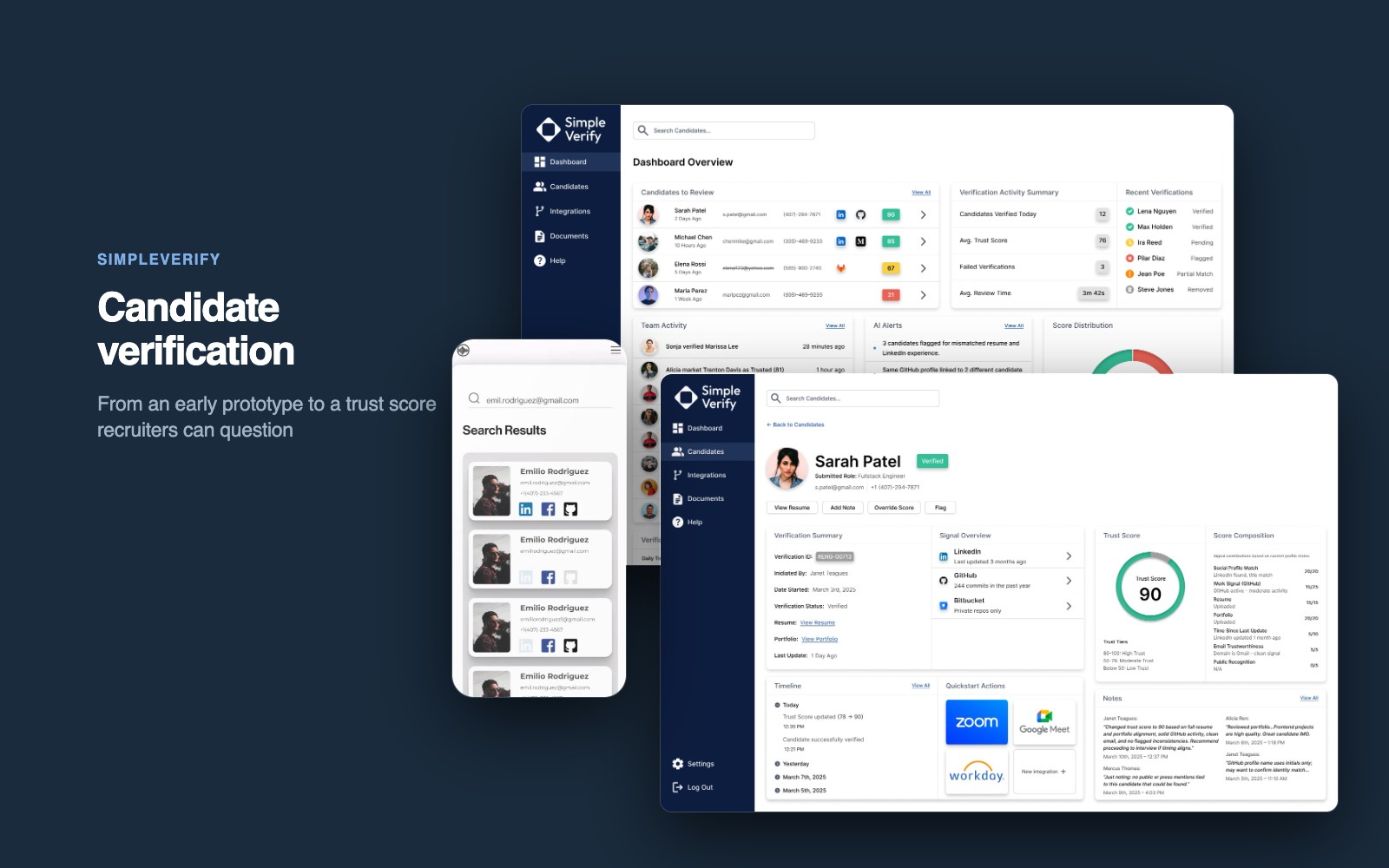
Simple Tech Talk search results on a phone beside the SimpleVerify dashboard and candidate list on a monitor and laptop
Product
Simple Tech Talk, then SimpleVerify
Years
2018 – 2019, and 2025
My role
Sole designer and product lead: research, flows, interface and the scoring model
Team
Two co-founders: me, and a technical co-founder who built
Timeline
Two four-week design sprints, years apart
Status
Concept. Designed, not yet built
The problem
Fake resumes, cloned portfolios and duplicate profiles, with no tool built to catch them.
What I did
Designed a verification prototype, tested it, then rebuilt the idea around a role-based trust score.
Where it landed
A complete MVP design: new verification, candidate profile and dashboard, ready to build.

What recruiters kept saying

  1. “I spend more time verifying a candidate than actually interviewing them.”
  2. “Fake resumes are one thing. But I’m more afraid of not catching them.”
  3. “I don’t want to chase down 6 tabs. I just need a signal I can trust.”

Recruiters became detectives

Remote hiring made it easy to apply from anywhere, with anything. Recruiters on r/recruiting, Hacker News and LinkedIn described the same wall: resumes that looked solid and fell apart on a second look, portfolios full of projects no one could verify, and candidates who weren’t real people at all.

Their tools weren’t built for it. So they googled, cross-checked links and back-channeled, or made a gut call. My problem statement for the first version was simple: help recruiters verify candidates in real time, so they waste less effort on fraudulent applications.

Chapter one: Simple Tech Talk

Simple Tech Talk was a startup connecting technical talent with recruiters, and verification was one tool inside it. My co-founder sparked the idea and led development; I led the research, flows and interface in a four-week sprint.

I had no direct access to recruiters then, so I collected their complaints from forums, clustered them in affinity maps, and built a persona from the pattern: Adrienne, a lead technical recruiter with no time to learn a new tool.

  • Search. Look a candidate up by name, email or phone.
  • Signals. Pull LinkedIn, GitHub and Facebook, and flag duplicates or mismatches.
  • Verify. Send a verification email the candidate has five minutes to answer, with three tries before they’re marked unverified.
  • Status. Every candidate shows Verified, Timed Out or Failed at a glance.
Recruiter flow: sign in, search for a candidate, open their profile, and send a verification email that must be answered within five minutes1 · Get in2 · Find the candidate3 · VerifyOpen the appHave anaccount?Sign inLooking for acandidate?Home andrecent activityCreate accountYesNoNoYesSearch by name,email or phoneView resultsFoundthem?Open theirprofileRightperson?YesNoNoYesSearch againVerify thisperson?Send averification emailAnswered within5 minutes?VerifiedBack torecent activitySend again,up to 3 triesMarkedunverifiedYesYesNoNoAfter 3Recruiter flow, top to bottomOpen the appHave anaccount?Sign inLooking for acandidate?Search by name,email or phoneView resultsFoundthem?Open theirprofileRightperson?Verify thisperson?Send averification emailAnswered within5 minutes?VerifiedYesYesYesYesYesYesCreateaccountNoHome andrecent activityNoNoNoBack torecent activityNoSend again,up to 3 triesNoMarkedunverifiedAfter 3
The recruiter’s loop, from opening the app to a verified candidate. No dead ends: every “no” returns to search or recent activity. Dashed lines loop back.
The prototypeSearch, send a verification, confirm

The sixth session

I ran six usability sessions with peers and non-recruiters. Five found the flow intuitive; one missed that the recent activity panel scrolled, which I fixed. The sixth asked one question that undid the product:

“What if the candidate has multiple emails… or gives someone else access?”

Usability participant, session six

The interface worked. The logic didn’t. Confirming an email doesn’t confirm who is behind it. I had designed for saving recruiters time, when what they needed was a reason to trust someone. Good UX can’t fix a broken concept, and the project stopped before it shipped.

Chapter two: SimpleVerify

Years later, with more product experience and a new technical co-founder, I came back to the same problem. This time the research went further: thread synthesis across Reddit and LinkedIn, interviews with technical recruiters, and affinity mapping to cluster what kept coming up.

Three composite personas kept the design honest about speed, scale and accountability:

  • The lead technical recruiter. Dozens of open roles and no time to learn a tool. Every feature had to make her faster.
  • The agency sourcer. Forty to fifty candidates a day. Summaries had to be skimmable and sortable.
  • The operations manager. Decisions had to stand up to scrutiny, which led to audit logs, exports and override notes.

What changed

The old flow was a gate: the candidate answered an email in five minutes or failed. The new one is a picture that keeps filling in. SimpleVerify starts working the moment a recruiter adds someone, and the recruiter makes the final call.

Simple Tech TalkSimpleVerify
What counts as proofAnswering an email within five minutesPublic signals and the candidate’s uploads, weighed by role
What the recruiter seesVerified, Timed Out or FailedA score with the reasons behind it
When work can startAfter the candidate repliesRight away. The profile exists before they reply
Who decidesThe systemThe recruiter, who can override with a note
What’s on recordNothingEvery verification, flag and override, on a timeline
SimpleVerify flow: the recruiter starts a verification; SimpleVerify gathers public signals and creates a profile while the candidate is asked for a resume and portfolio; uploads are scanned and scored by role; the recruiter reviews the score and can override it with a note; every action is loggedRecruiterSimpleVerifyCandidateNewverificationEnter name, email,phone and roleGather publicsignalsCreate the profileright awayScan uploads andmatch signalsScore by role:green, yellow, redReview the scoreand its reasonsAgree, or overridewith a noteLogged tothe timelineGets a brandedrequestUploads resumeand portfolioAt the same timeWhen it arrivesSimpleVerify flow, top to bottom, in three lanesRecruiterSimpleVerifyCandidateNewverificationEnter name,email, phoneand roleGather publicsignalsCreate theprofile rightawayScan uploadsand matchsignalsScore by role:green, yellow,redReview thescore and itsreasonsAgree, oroverride witha noteLogged tothe timelineGets abrandedrequestUploadsresume andportfolio
The SimpleVerify flow, by who does each step. The candidate’s uploads arrive in parallel and sharpen the score; nothing waits on a five-minute reply.

A score you can question

The first version said yes or no. SimpleVerify gives a layered trust score and shows its work. It reads public signals and the candidate’s own uploads, flags inconsistencies, and explains every flag. A flag for possible AI writing is a reason to look, not an automatic fail.
RoleWhat the score weighs most
EngineersGitHub recency and activity, and whether it matches the resume
DesignersPortfolio credibility, project recency and consistency of style
Product managersLinkedIn alignment, case studies and how the story holds together
Verified and consistentMinor risks or missing dataMajor inconsistencies
One formula for every role would judge a designer by GitHub. Each role gets its own weighting, and every score can be overridden with a note.
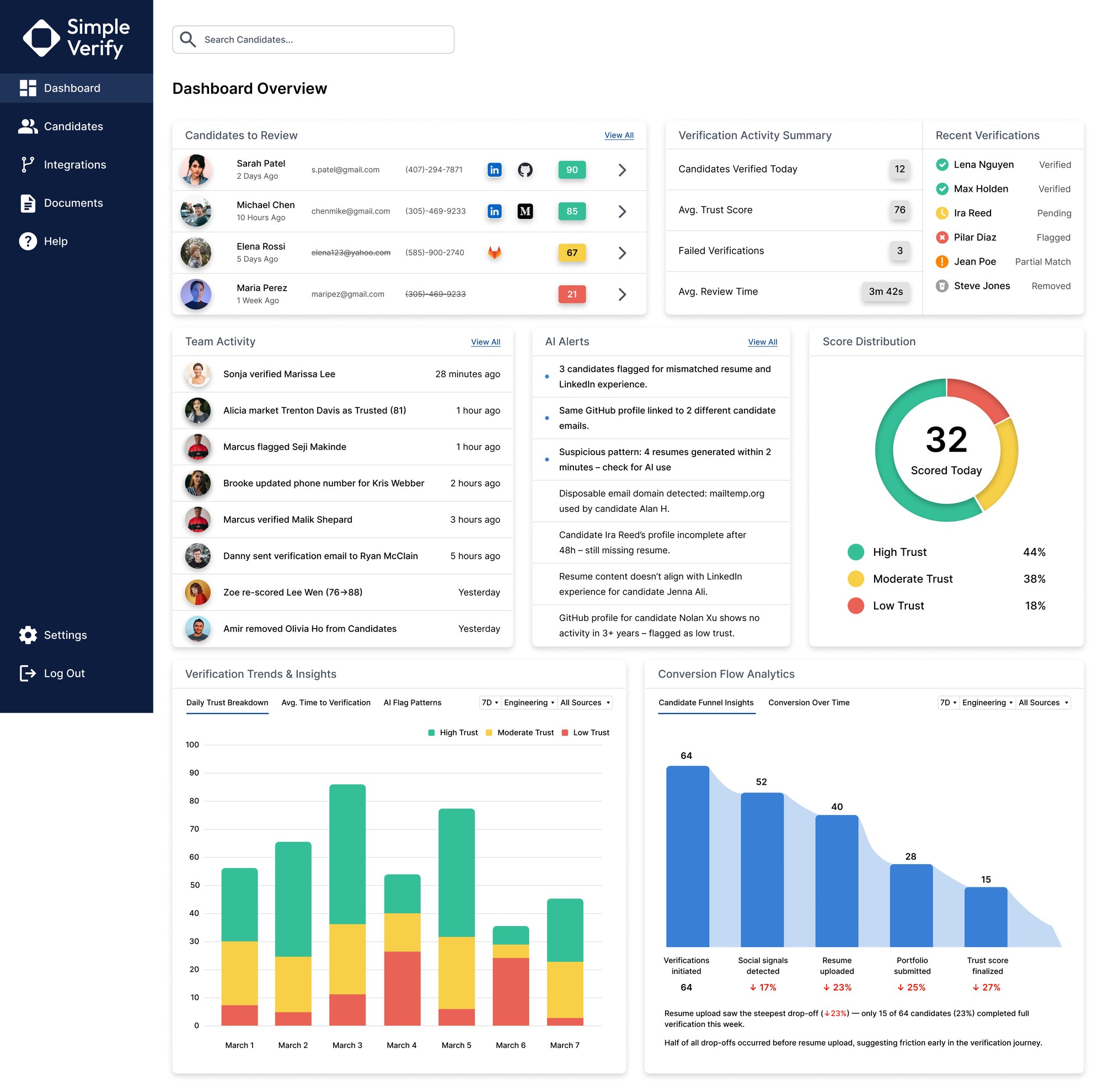
SimpleVerify dashboard: candidates to review with trust scores, verification activity, recent verifications, team activity, AI alerts and a score distribution donut
The dashboard: who needs review, what the team just did, and what the AI flagged, across every open role.

Three core flows

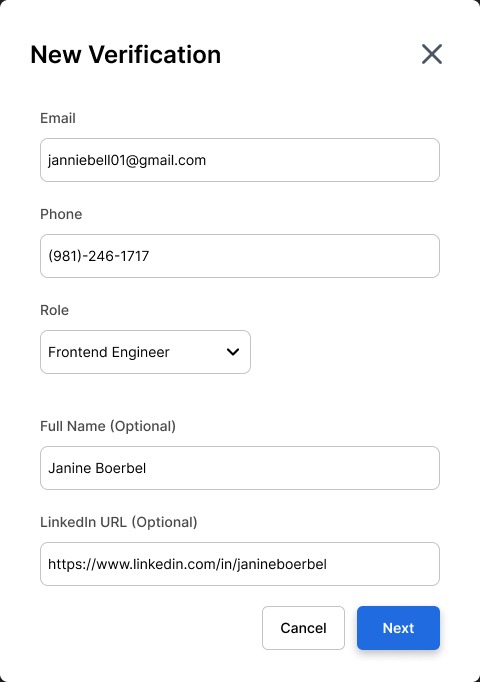
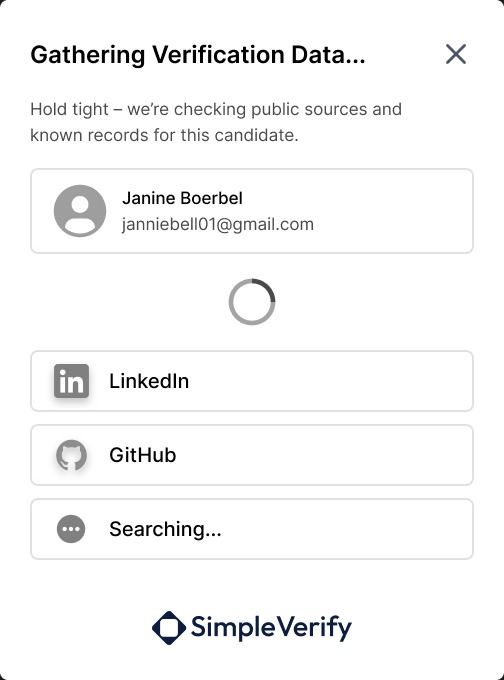
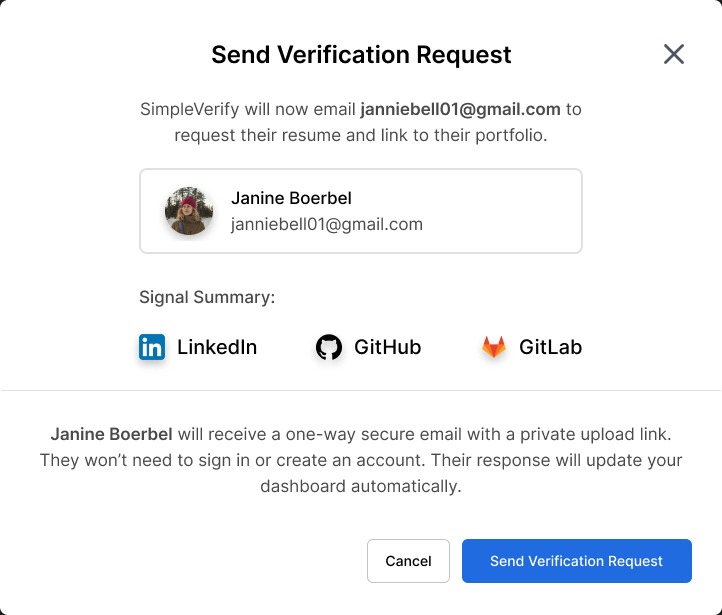
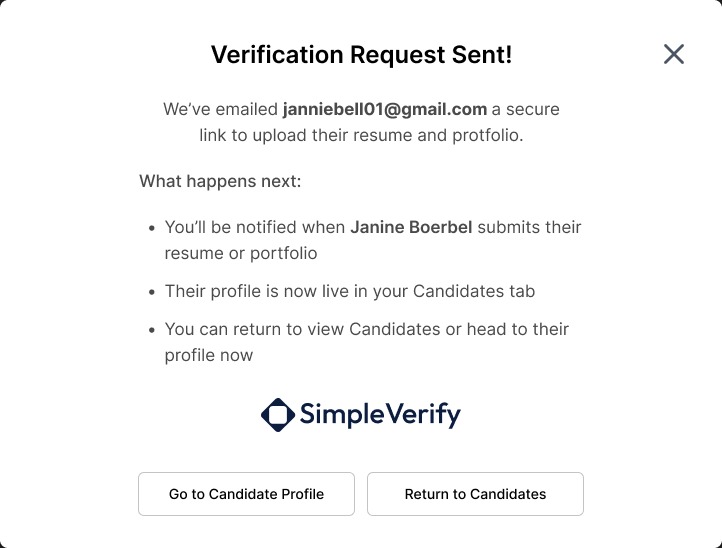
  • New verification. Enter a candidate’s name, email, phone and role. SimpleVerify gathers public signals right away and sends the candidate a branded request for their resume and portfolio, so a profile exists before they reply.
  • Candidate profile. The trust score and how it was composed, each signal with its match confidence, the resume scan, and the recruiter’s notes and overrides.
  • Dashboard. Candidates to review, recent verifications, AI alerts and a timeline of what the team verified, flagged or overrode.
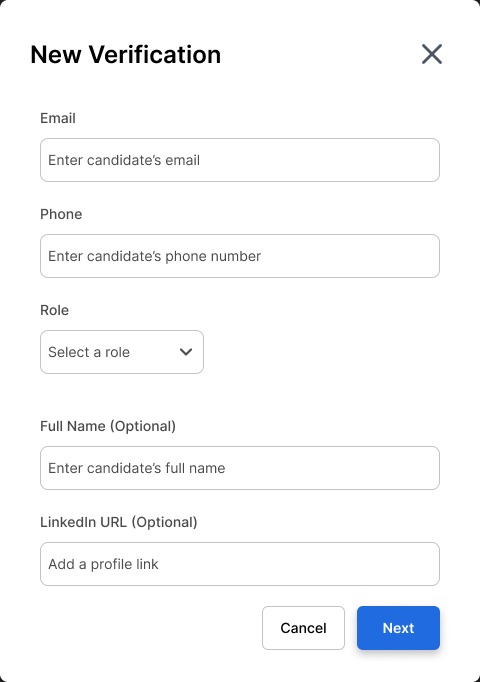
New Verification form: email, phone, role, and optional full name and LinkedIn URL
1. Add the candidateEmail, phone and role. Name and LinkedIn are optional
The same form filled in for a frontend engineer
2. Pick the roleThe role decides how the score is weighed
Gathering Verification Data: checking LinkedIn and GitHub, still searching other sources
3. Gather signalsPublic sources are checked while the recruiter waits a moment
Send Verification Request: a signal summary of LinkedIn, GitHub and GitLab, and an explanation that the candidate gets a one-way secure upload link
4. Send the requestOne secure upload link. The candidate never makes an account
Verification Request Sent: what happens next, with buttons to go to the candidate profile or return to candidates
5. Keep workingThe profile is already live, before the candidate replies
New verification, from the recruiter’s first field to a live profile.
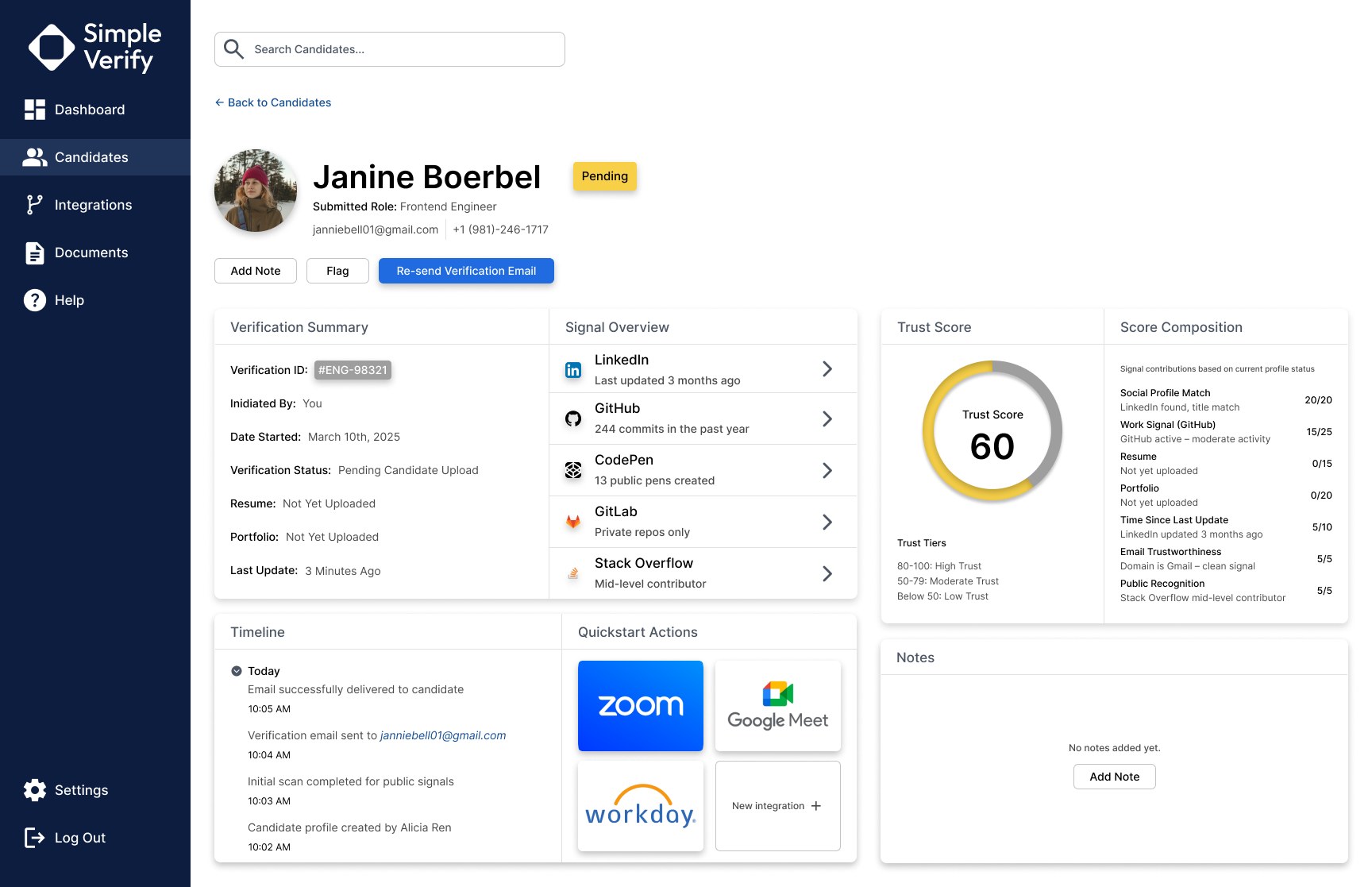
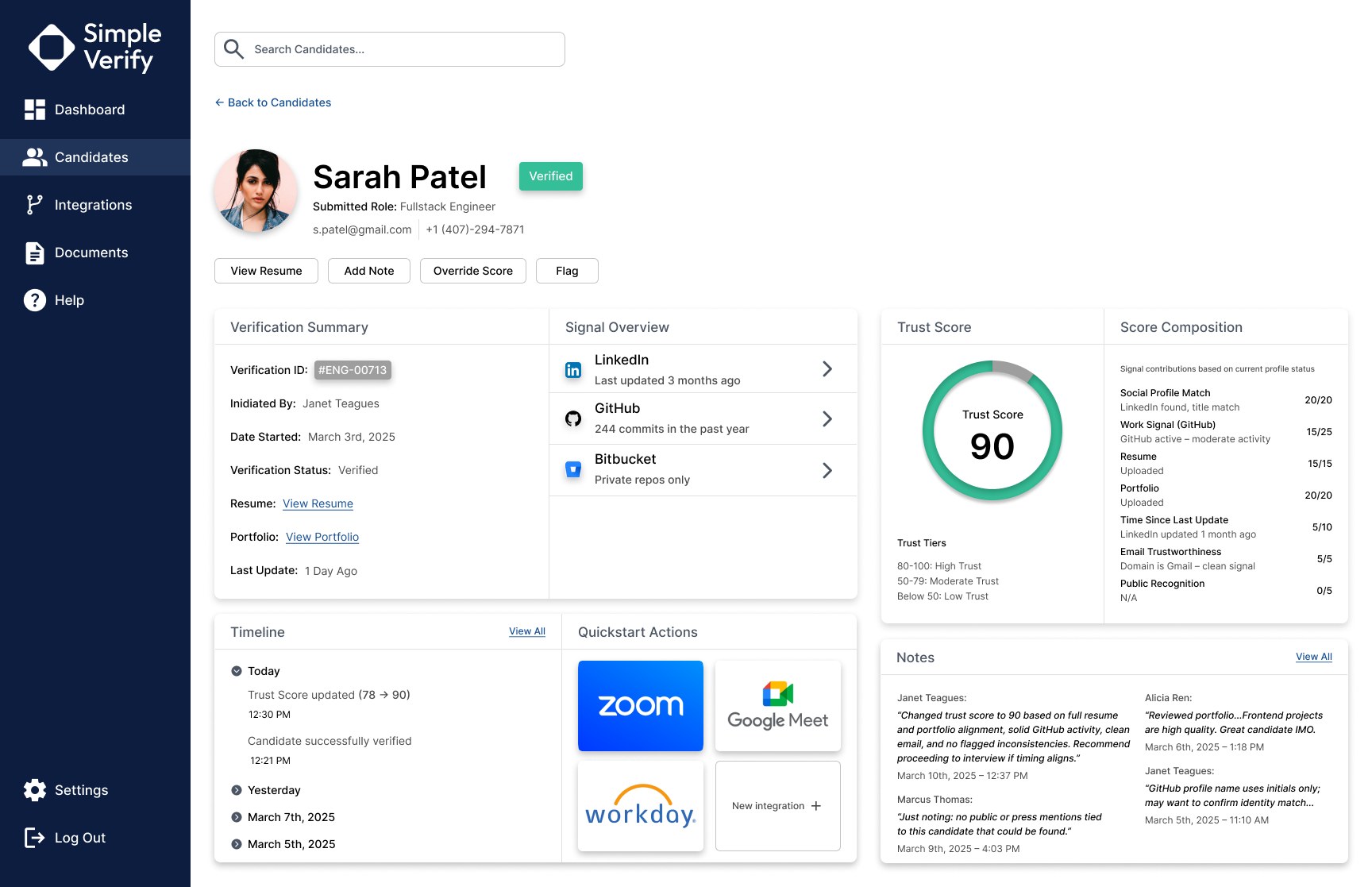
Candidate profile for Janine Boerbel, Pending, trust score 60, with resume and portfolio not yet uploaded and the score composition showing zero points for both Candidate profile for Sarah Patel, Verified, trust score 90, with the timeline showing the score updated from 78 to 90 and recruiter notes explaining why
Top: a profile minutes old. Public signals alone score 60, and the composition shows exactly what’s missing. Bottom: a verified profile. A recruiter raised the score from 78 to 90 and left a note saying why.
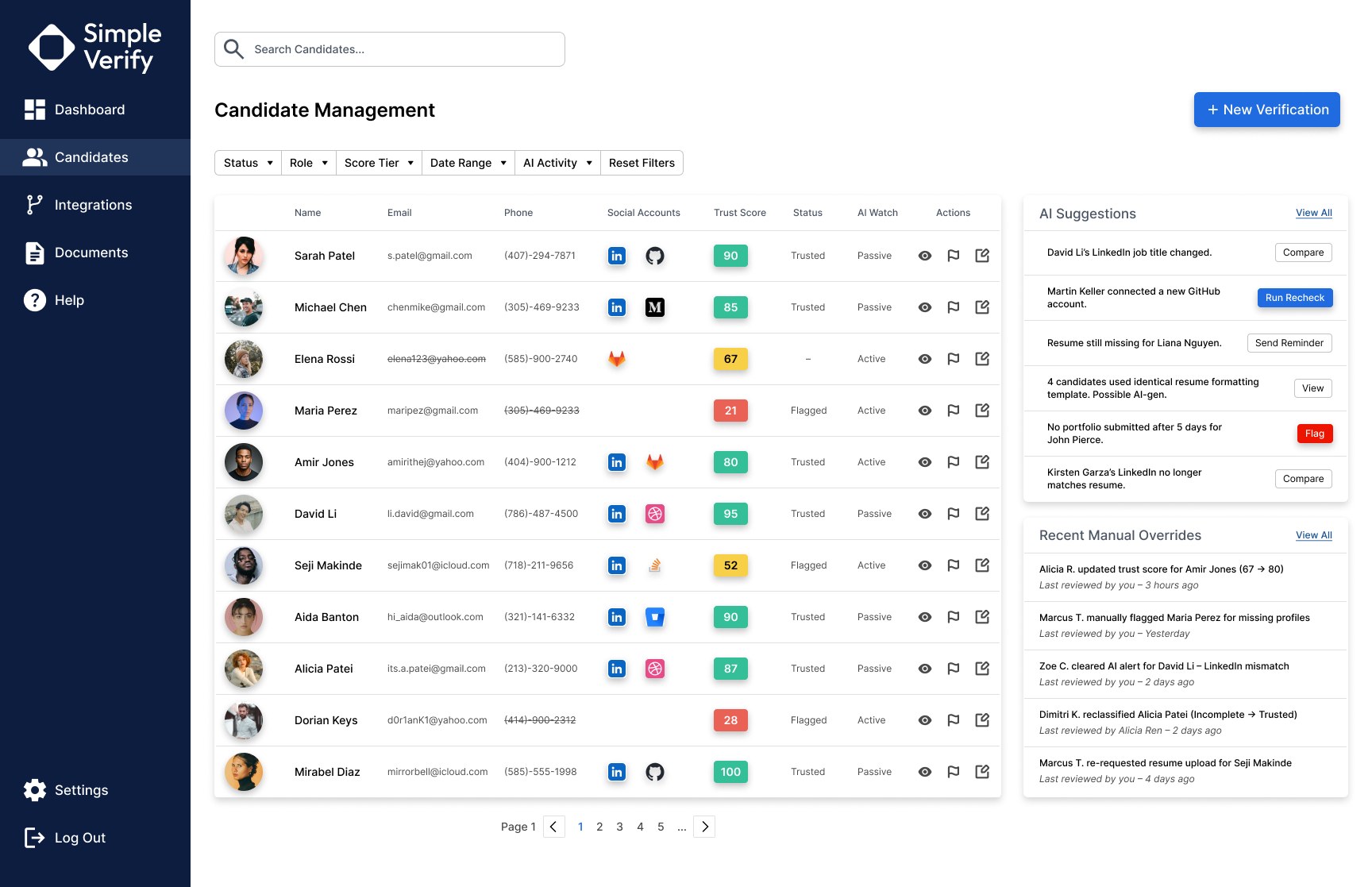
Candidate Management: a filterable list of candidates with trust scores, status and AI watch, beside AI suggestions and recent manual overrides
Candidate management. Filters for trust tier, role and AI activity, and every manual override listed on the side.

Where it stands

The MVP design is complete. The next steps were the build with my technical co-founder, integrations with Greenhouse and Lever where recruiters already work, and pilots with small recruiting agencies to test it on real hiring.

The longer idea is a candidate trust passport: a verified history a candidate owns and carries from one application to the next, so honest people don’t prove themselves from scratch every time.

What I learned

The first version taught me that clean flows can hide a weak idea, and that the most useful session is the one that breaks your logic. It also taught me the limits of designing from forum posts: real insight came from talking to recruiters, which is what I did the second time.

Credits

Research, design and product
Jaylon Ballard
Engineering
A technical co-founder on each version
Note
Personas are composites built from research. Names and faces in the screens are sample data.