
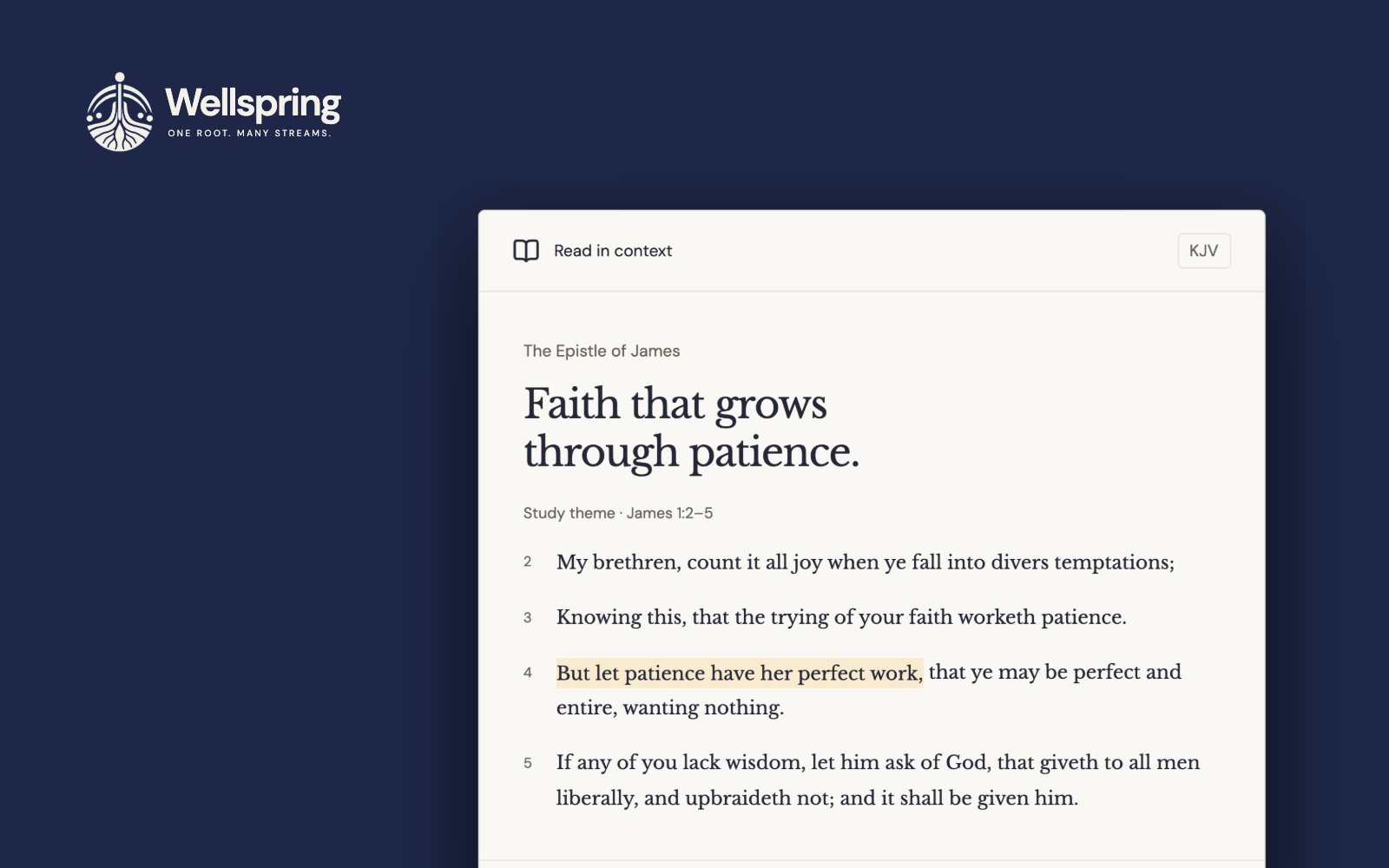
- The problem
- Serious Bible study sits behind subscriptions, and the African and Ethiopian world of the text is mostly missing from every major tool, free or paid.
- My approach
- Build the study desk the paid tools sell, free and with no server to pay for, and hold it to rules strict enough that someone who disagrees with me can still trust it.
- Where it stands
- Live at wellspringstudy.org with Ge’ez, Coptic and African-language Bibles, a sermon builder and an on-device study mentor. It hasn’t been tested with outside readers yet.
Four decisions in this case study
- Make trust a product requirement, not a tone of voice.
- Let a stranger read before asking them to sign up.
- Give the sermon builder an assistant that never writes.
- Build for the reader furthest from the office.
The gap
Bible tools split into two kinds. Habit products like YouVersion are opened every morning: reading plans, streaks, a verse of the day. Work products are opened when someone has a question and needs the evidence to answer it: original languages, ancient translations, commentaries, cross-references. The work tier is where the paywall is.
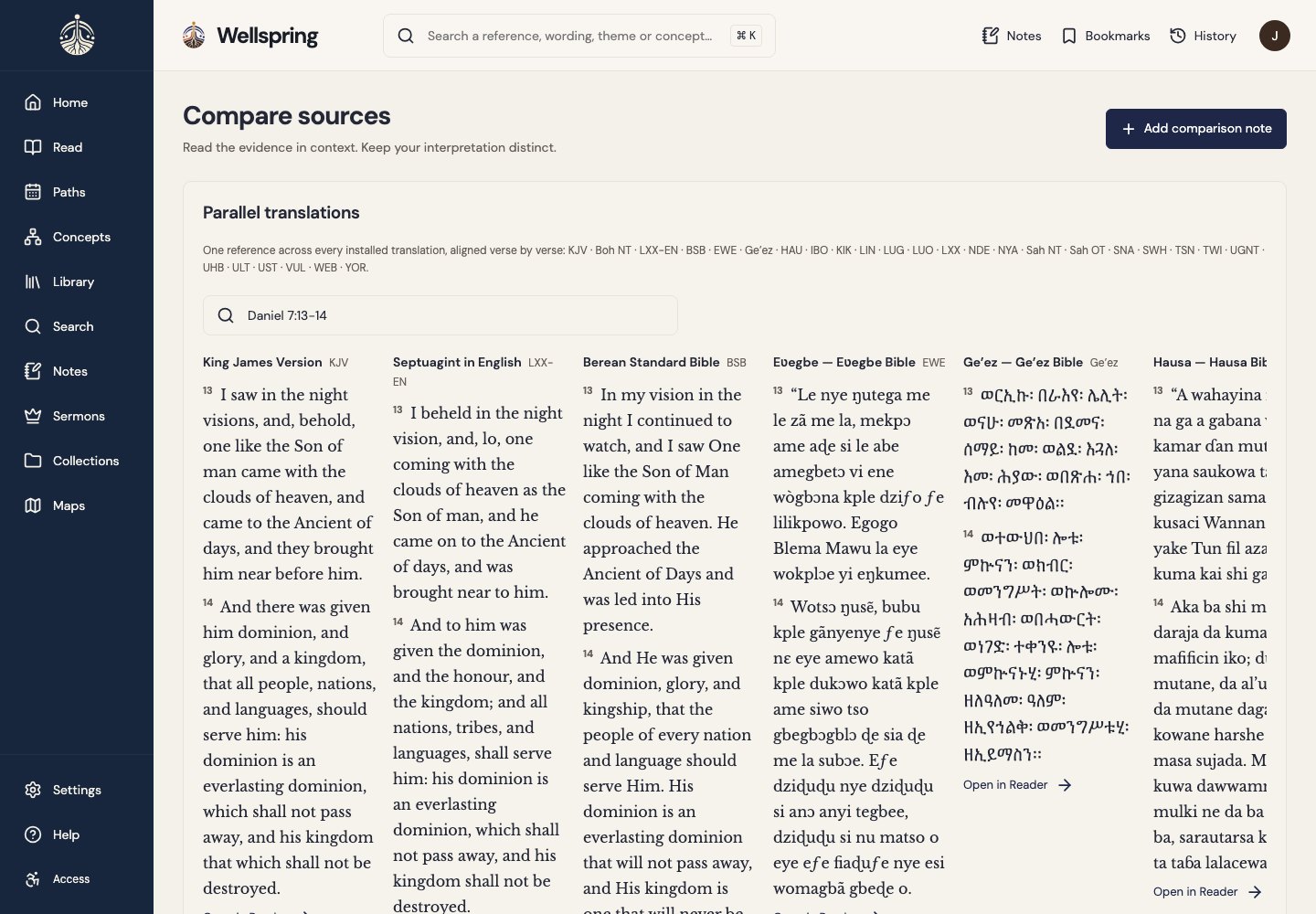
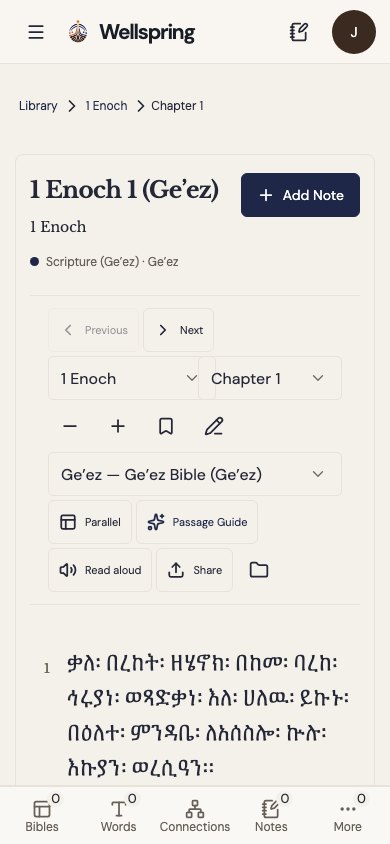
On Logos, the professional standard, interlinears and morphology start at $14.99 a month. The Septuagint, the Vulgate, the Apostolic Fathers and the Deuterocanon are only in the $19.99 tier, with books sold on top. Free study tools exist, and they’re good. But none of the tools I looked at held the Ethiopian canon in Ge’ez, the Coptic versions, or Bibles in Hausa, Yorùbá or Kiswahili.
Who it’s for
- The self-taught minister leading a small congregation without a seminary or a mentor, who prepares a teaching every week.
- The student who needs the Septuagint and the Church Fathers and can’t afford the licenses.
- The reader in Lagos or Harare on a metered phone plan, who is exactly who the African-language shelf is for.
Decision 1 · Rules
Make trust a product requirement
A research tool built by one person, with a point of view, has a credibility problem: why would anyone who disagrees with me trust what it shows them? Promising to be fair wasn’t enough. I wrote the rules into the product definition and the data model, so the software itself can’t break them.
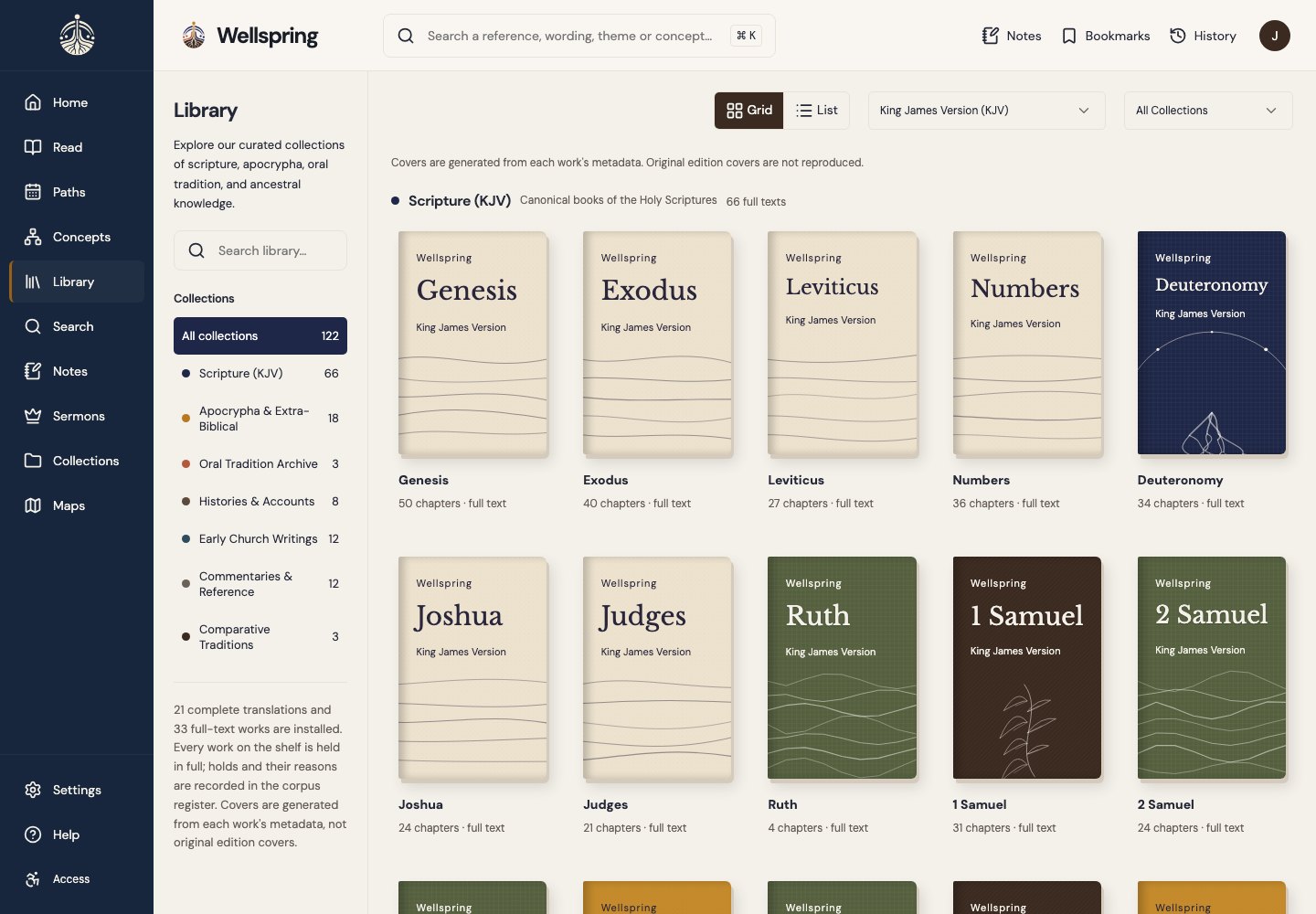
The rules cost things, and that’s how I know they’re real. The concept glossary shows each concept’s name in the languages of the shelf, like uMsindisi beside māšîaḥ and Christós. Every word in it needs a dictionary witness. It holds 190 words across ten African languages, and it records the candidates it refused and why, because a glossary that only lists what it accepted isn’t evidence of anything. Library covers are generated from each work’s metadata, so a new book never waits on artwork, and there’s no stock art pretending to be the real cover.
Decision 2 · The door
Let a stranger read first
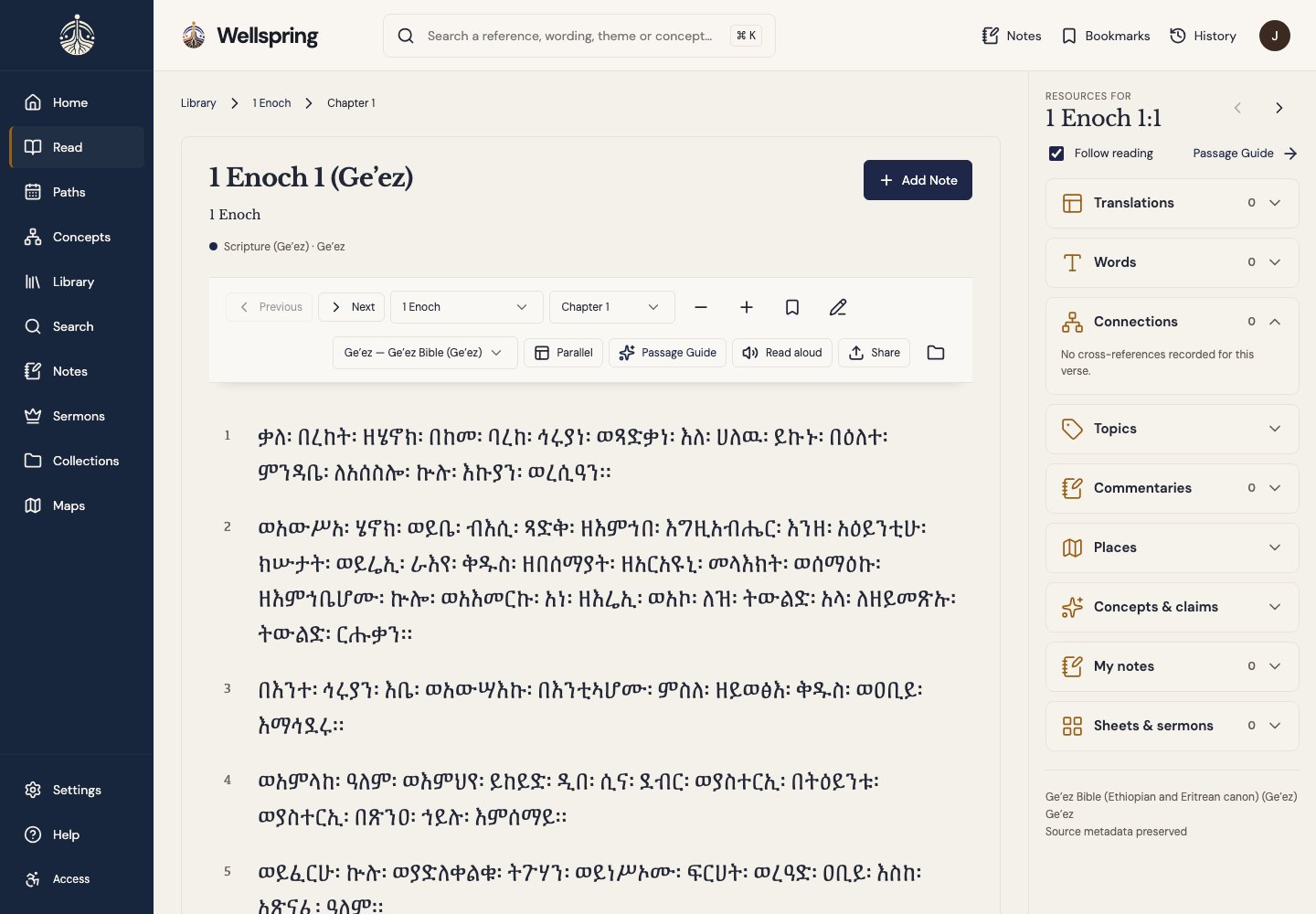
At first, Wellspring asked for a free account before anything else. The reasons were real: research needs a place to live, two people sharing a laptop shouldn’t see each other’s notes, and the account cost nothing. But the cost of that door showed up in the teardown. The friend who opened a chapter you sent them met a sign-in form, not Scripture. YouVersion, Blue Letter Bible and STEP Bible all let a stranger read first, so readers had learned to expect it.
Options I weighed
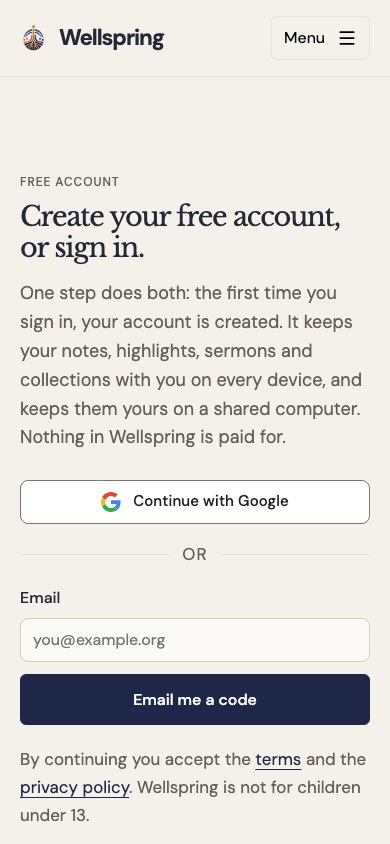
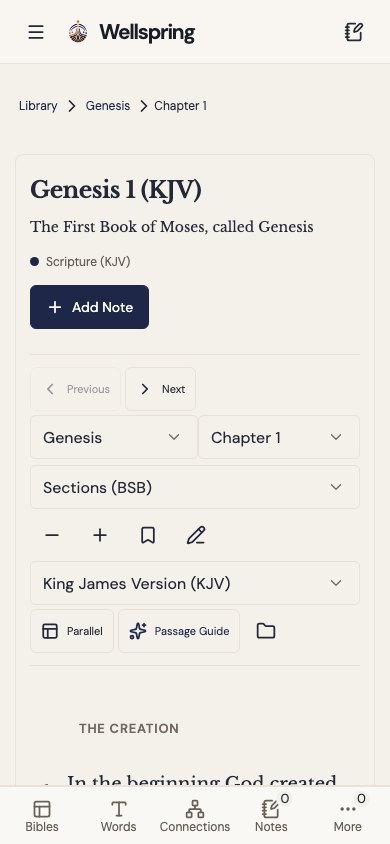
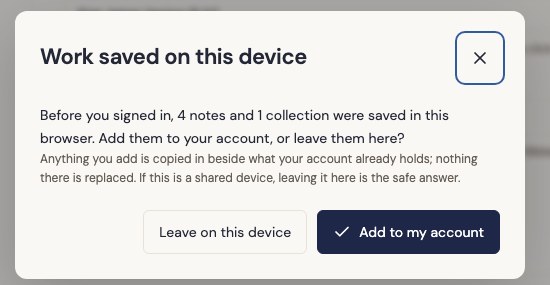
Opening the door raised a second problem: what happens to notes someone writes before signing up? Taking them into the account automatically would be wrong on a shared device, where the person signing in may not be the person who wrote them. So the work is offered, never taken. The dialog says how much was saved, but not what it says, and adding it never replaces anything already in the account.
Decision 3 · The mentor
An assistant that never writes
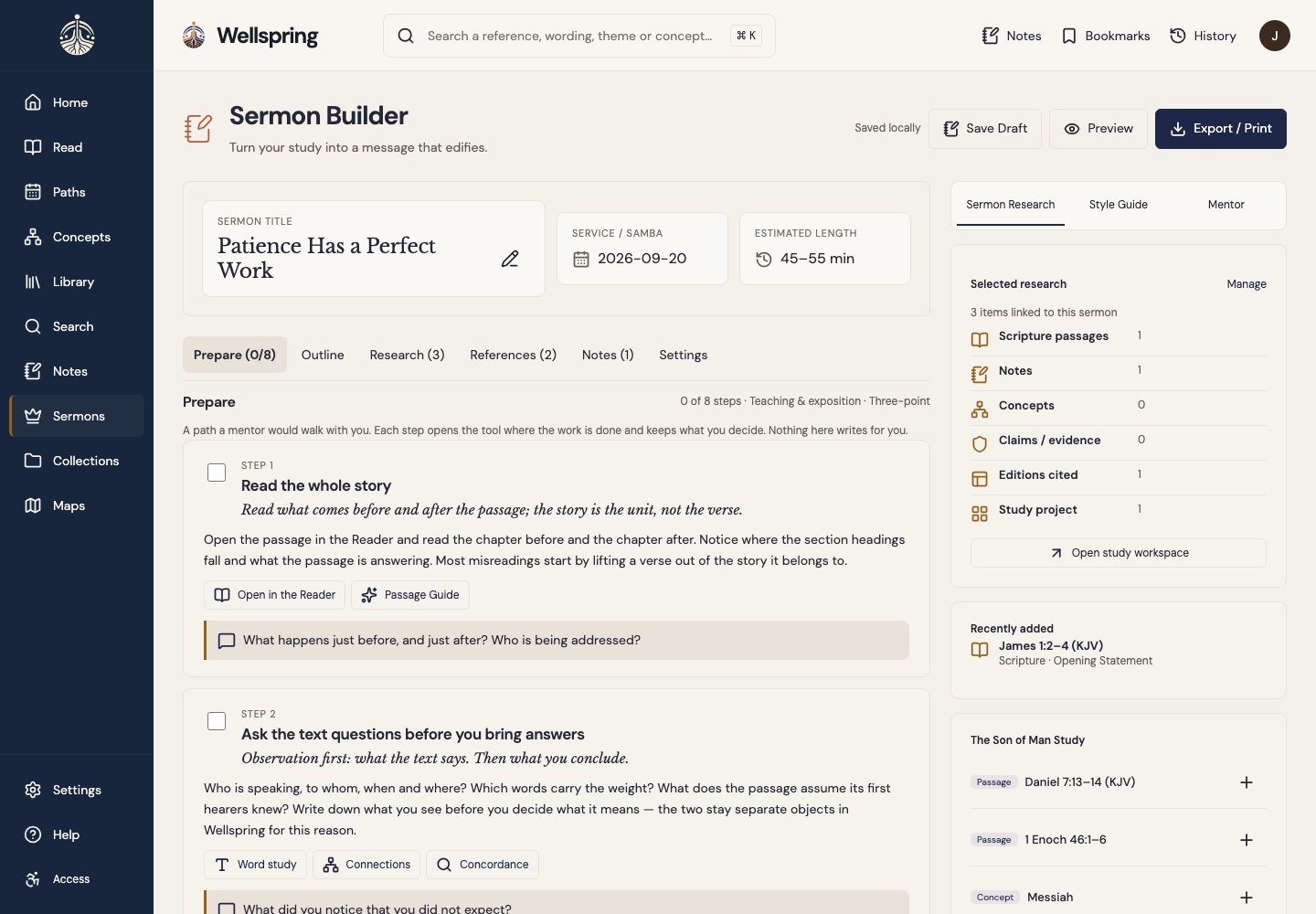
The sermon builder is where Wellspring is most tempting to get wrong. Paid tools will write an outline for you, and an AI that drafts a sermon is easy to build. But a minister’s job is to understand the passage and say it in their own words. A tool that writes for them teaches them to stop doing that. And any AI that runs on a paid service is one I’d have to charge for, or turn off when a free tier ends.
What I built instead
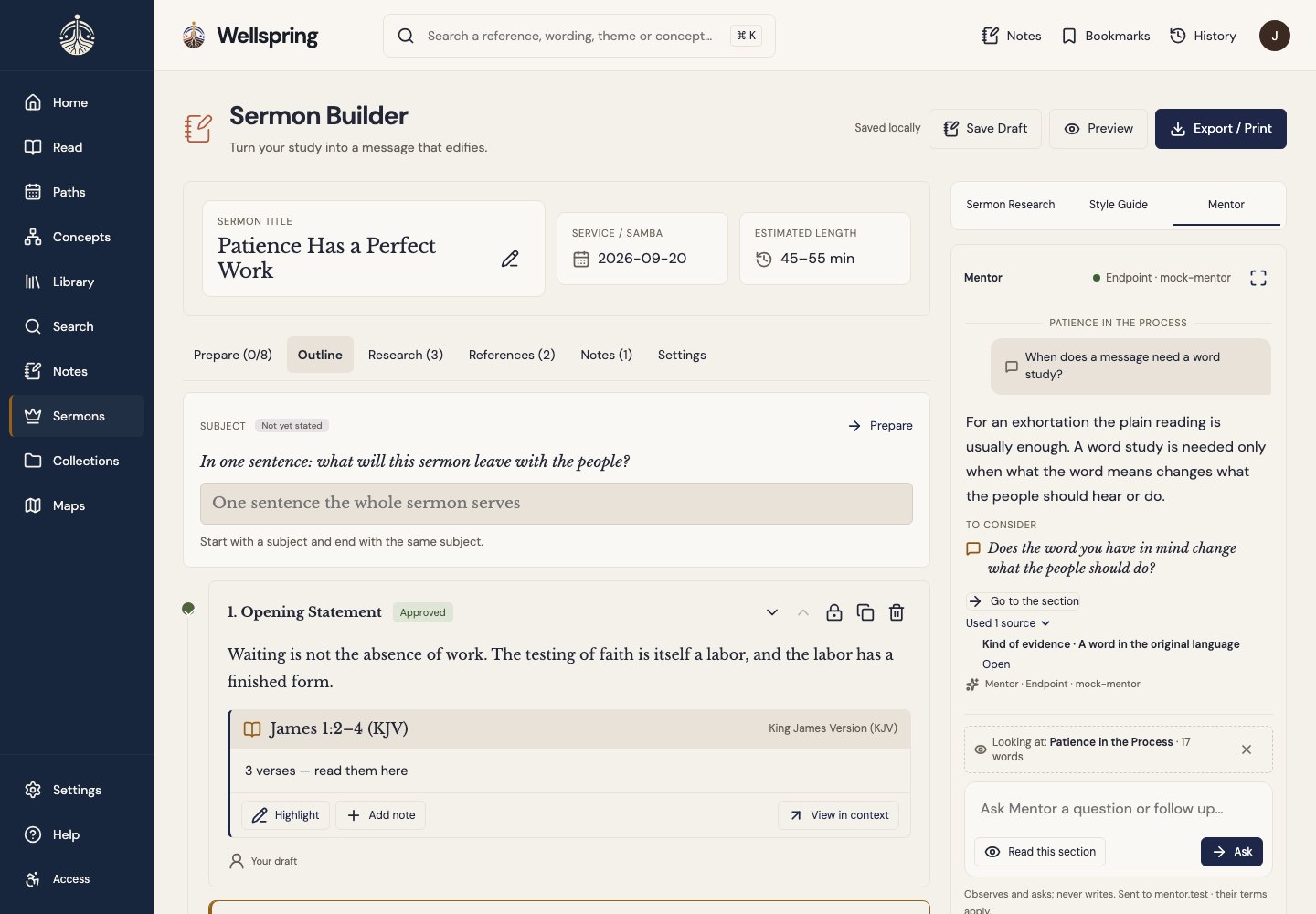
- A mentor that observes and asks. It reads the minister’s own draft against Wellspring’s guidance and answers with observations and questions, naming the sources it used. Its words have no path into a section of the sermon.
- It runs on the reader’s own device. The default is an open model that runs in the browser after an opt-in download. Nothing leaves the device, and there’s no bill to pass on. A community can host its own engine for its members; the platform never does.
- Off by default. The builder works fully without it.
- A guide that teaches the method. Prepare walks through eight steps of preparing a teaching, each opening the tool where the work is done, starting with “read the whole story.”
I turned down one feature by name: “continue this section.” It would have been the most requested button, and it would have made Wellspring a sermon generator.
Decision 4 · The phone
Build for the reader furthest away
The African-language shelf exists for readers who are most likely to be on a phone with a metered plan. So I measured the phone build the way that reader would meet it. Opening a single chapter with an empty cache downloaded 38 files. The resources panel was loading every translation, commentary and dictionary index before the reader had asked a single question. The product’s own rule is to pull help when asked, not push it, and the network was doing the opposite.
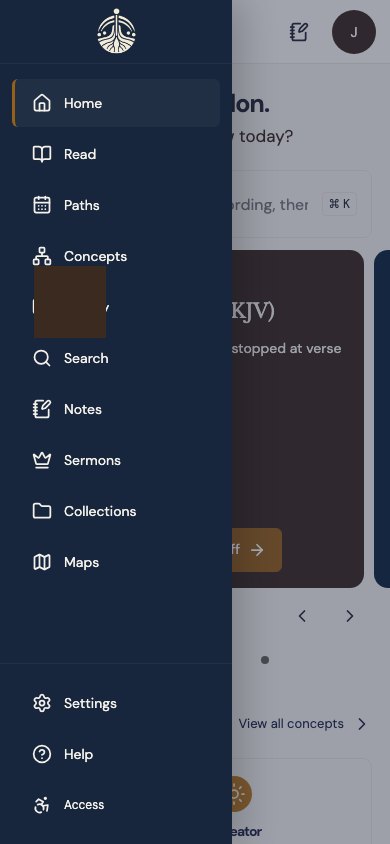
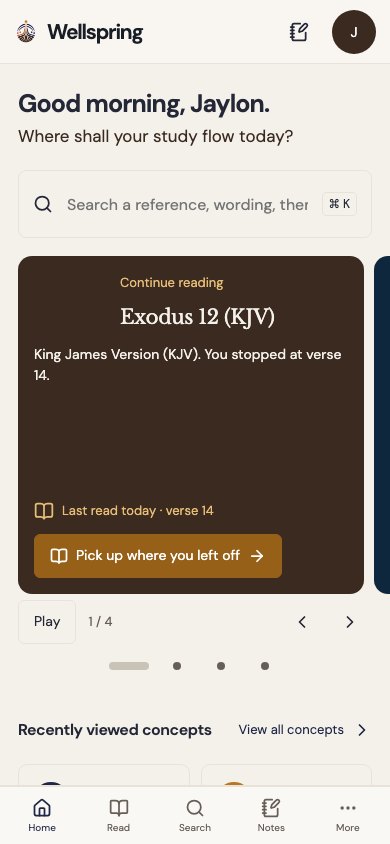
The same teardown found the navigation unranked. The phone menu held ten destinations, where every reading app people already use settles on four or five. Ten wasn’t richer, because a reader couldn’t tell which three they’d use every day. The phone now has a five-item bar, Home, Read, Search, Notes and More, with the rest behind More, including the sermon builder. Desktop keeps its full rail, because it has the room.
Keeping it honest as it grew
Wellspring went from a first build to a live product in about seven weeks, built by AI agents I directed. That speed is a risk: an agent can change something that looks fine in one place and breaks in five others. So every screen state is pinned by a reviewed screenshot at up to five screen sizes, more than a thousand in all, and each one runs through an automated accessibility check against WCAG 2.2 AA. A screenshot is only updated after someone looks at the change.
What isn’t proven yet
- No outside readers yet. Wellspring hasn’t been tested with the people it’s for. The first sessions will be with a self-taught minister and a reader on a phone plan.
- Accessibility with people. Automated checks pass, but sessions with a screen reader user and a switch user are still owed.
- Real devices. The mentor’s on-device model needs a capable device, and the full pass on real phones and tablets is still ahead.
- The shelf is thinner than the paid tools. Modern translations are owned by publishers and can’t be had for free, and there are far fewer commentaries than Logos. Widening the public-domain shelf is the work that compounds.
What I learned
The decisions that mattered most were the ones that said no: no fake content, no door in front of Scripture, no button that writes the sermon. Each had a cheaper or more popular alternative. Writing the rules down before the features let me say no quickly and the same way every time, even with agents doing the building. And measuring the product the way its furthest reader would meet it turned a performance number into a product decision.
Competitor prices and counts were read from each product’s own pages on September 22, 2026. Product screens come from Wellspring’s visual test suite and show sample content.